PDFWorker
A lightweight PDF viewer and editor for Windows.
Windows 11, x64 · Rust, egui and PDFium · v0.2.12 · Not released yet
What it is
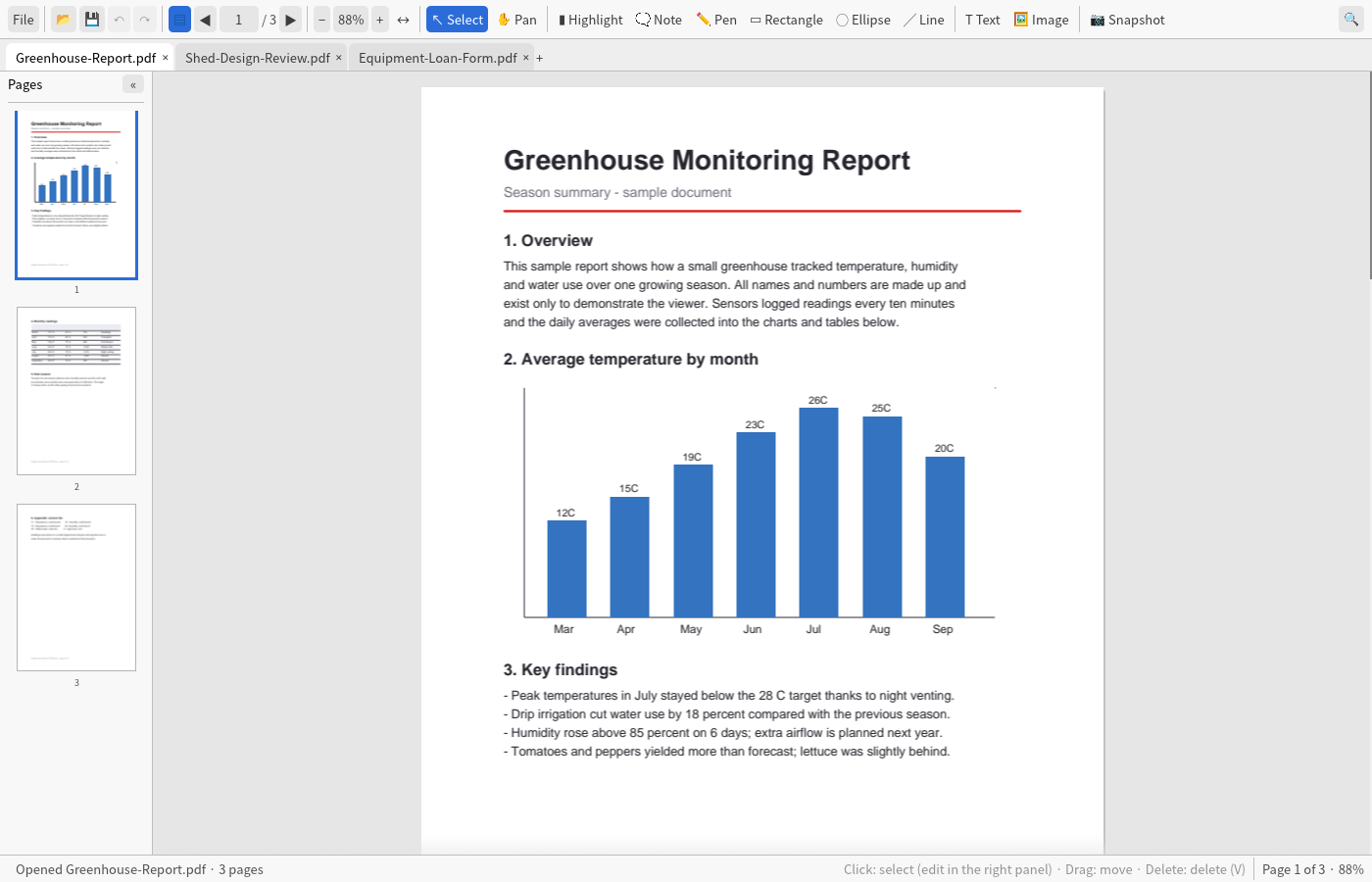
PDFWorker opens PDF files, including large ones, and lets you mark them up, edit text and images, fill in forms, and rotate, delete or insert pages in one window. It is written in Rust and renders with PDFium.
Features
- Viewing. Large PDFs stay smooth while you scroll and zoom: pages render in the background, and high-resolution tiles are drawn when you zoom in. Continuous scroll, thumbnails and text search.
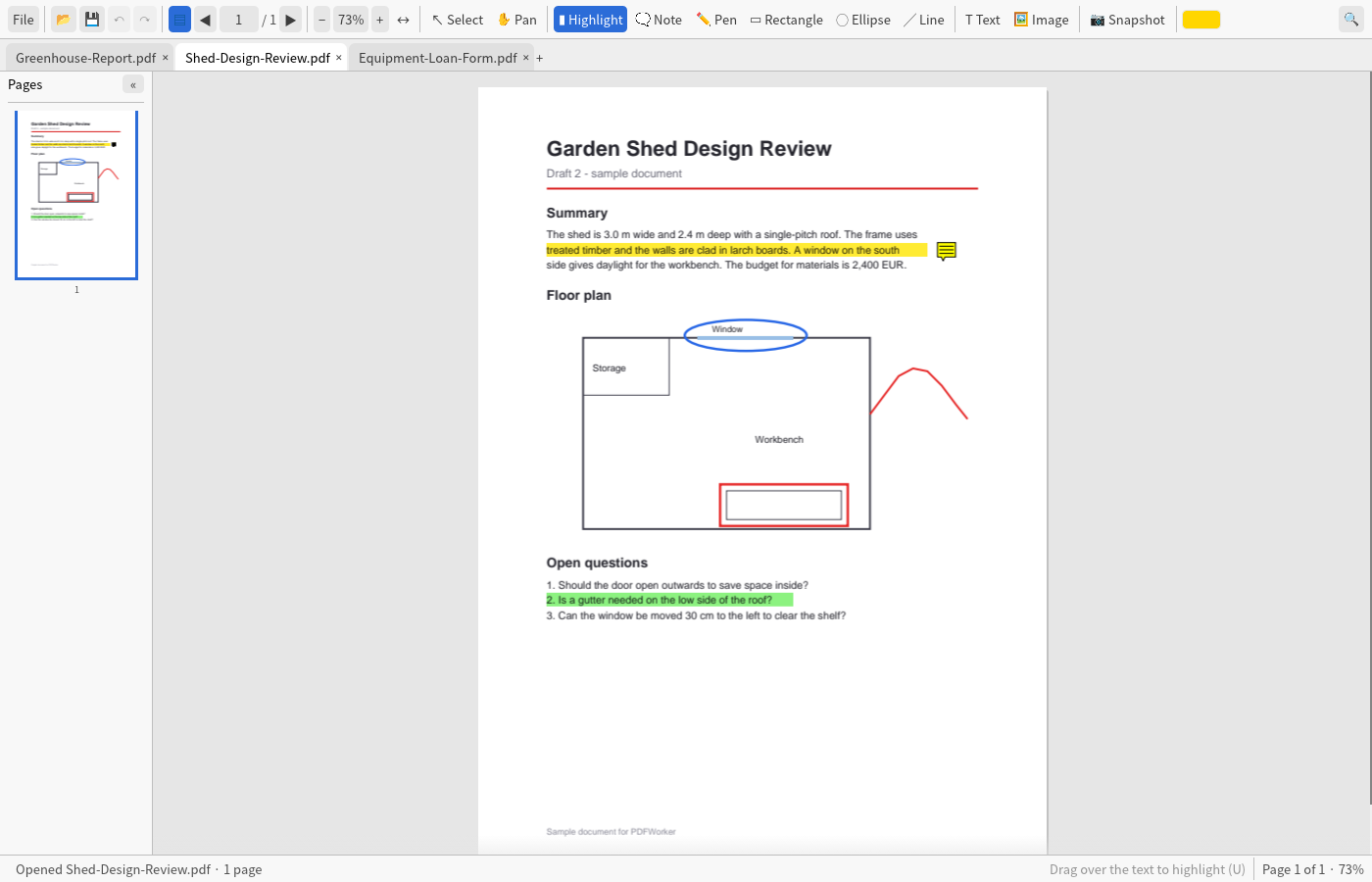
- Annotations. A highlighter that snaps to text lines, notes, a pen, and rectangles, ellipses and lines, with a choice of colour and width.
- Text and images. Add text (Korean is supported), change the content, size and colour of existing text, insert images, and move or delete objects.
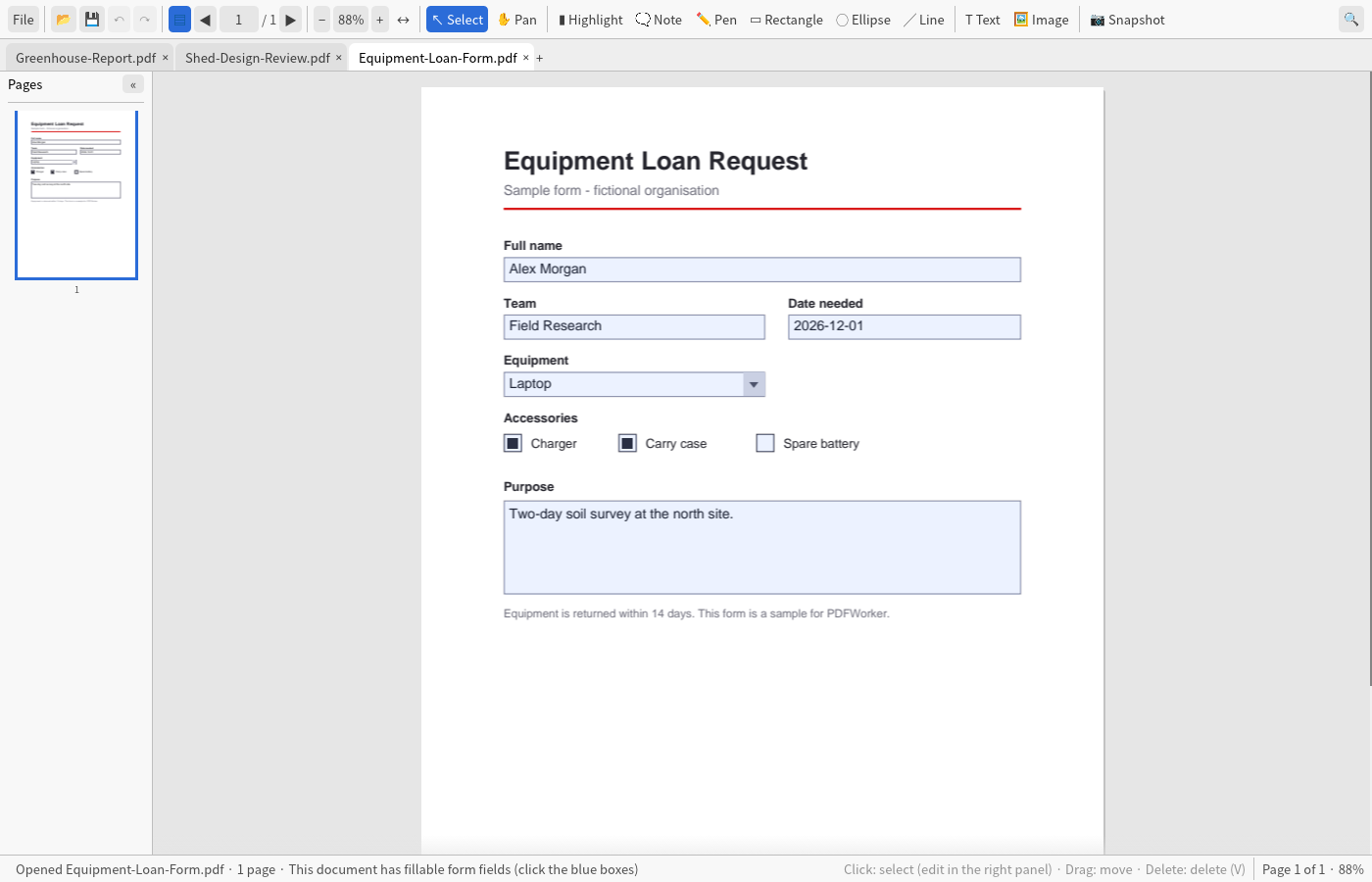
- Forms. Fill in text fields, checkboxes, radio buttons, combo boxes and lists.
- Pages. Rotate, delete, or insert a blank page.
- Tabs. Several documents in one window. Double-clicking a PDF opens it as a new tab in the window that is already running.
- Region capture. Copy an area of a page to the clipboard as an image of at least 200 DPI.
- Passwords. Open and save password-protected PDFs and remove a password. Document permissions are respected.
- Undo and redo. Up to 30 steps.
- Interface languages. Korean, English (US, UK, Australia) and Traditional Chinese (Taiwan).
Limits
- A document that forbids editing or annotating stays locked until you enter its permissions password.
- Adding Korean text embeds the whole font, so the file grows by several megabytes.
- Existing text is edited one text object at a time, which is usually a line or a word.
- No merging or splitting of files, and no OCR.
Availability
PDFWorker is not released yet. It will ship as a Windows installer. If you want to hear when it is available, send an email.
© 2026 DHPLab Consulting. PDFWorker is proprietary software. It includes PDFium (BSD-3-Clause) and other open-source components; their licenses ship with the app.